
TL;DR · Direct answer
The buying decision in brief
Approve private-label beauty equipment packaging by matching each artwork revision to the correct model, configuration, market language and packaging layer. Review the prepress proof and an assembled physical sample against separate acceptance criteria. Record the carton marks, asset permissions, exceptions and approver in one release record. If artwork, materials, fit or identification changes, put the affected layer on hold and review it again before production.
01 / Buying guide
Define exactly what the packaging approval covers
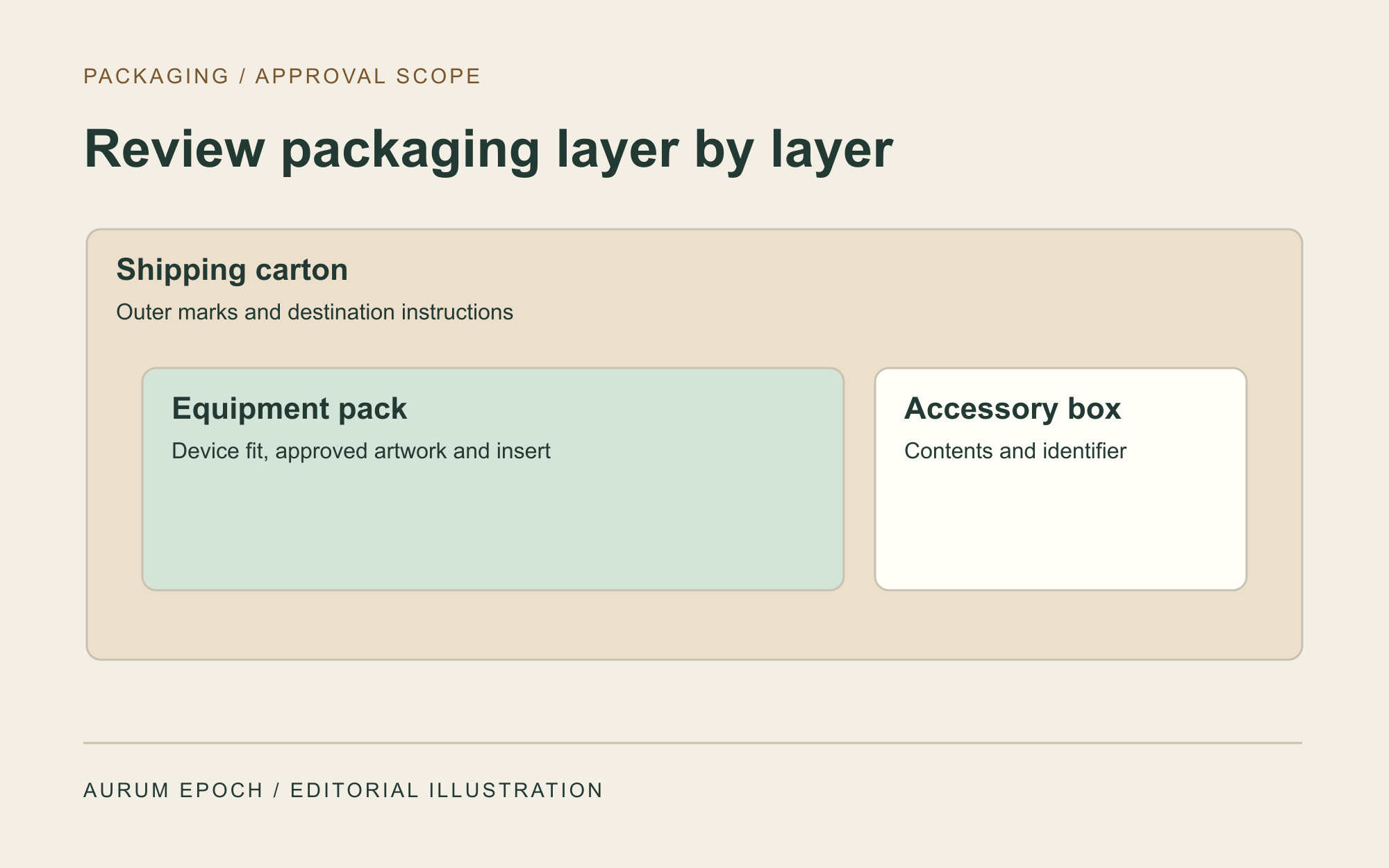
Start with the device model, options, accessory list and intended market. Inventory every layer that has an artwork, fit or identification decision, from the unit box and inserts to accessory packs and the shipping carton. Give each layer its own record and keep market-language versions separate. If two configurations share a carton design but use different inserts, record which insert belongs to each configuration before asking anyone to sign off.
02 / Buying guide
Assign the packaging approval roles
Name the reviewer for content and permissions, the reviewer for the physical pack, and the person authorized to release files for production. The same person may fill several roles, but each decision still needs a dated record. Use the existing device and brand approvals as inputs, then carry their references into the packaging record.
For example, a buyer may approve its logo placement while the packaging reviewer is still checking an insert. Record these as separate decisions and keep the production release open. At handover, ask the recipient to confirm the revision received so an earlier proof cannot be picked up by mistake.
03 / Buying guide
Check the artwork and prepress proof
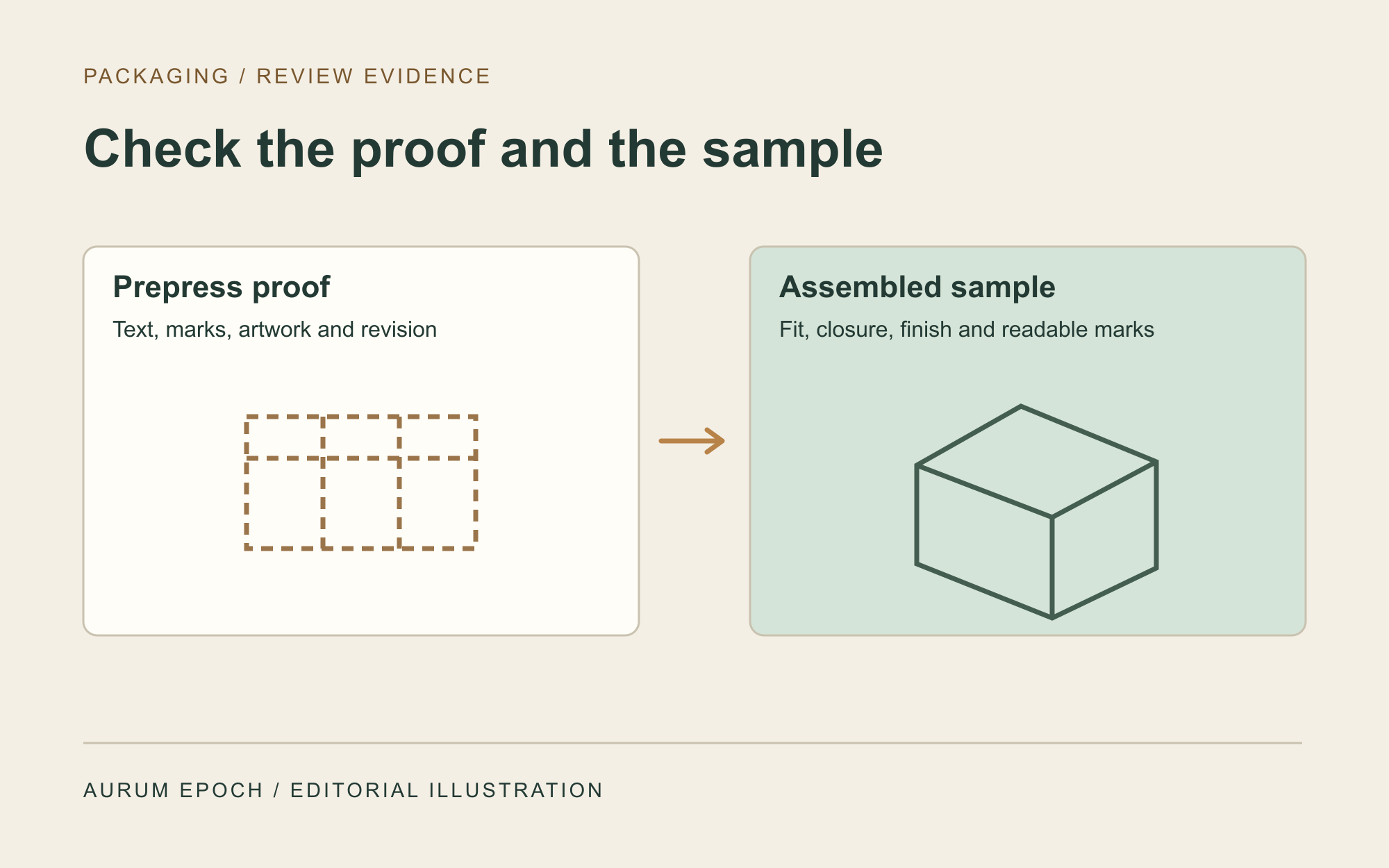
Pair the artwork revision with the current cut-and-fold drawing. Review the front, back, sides and any surface exposed after opening. Check identifiers, language, logos and marks against the approved source for that market. Ask which elements the proof represents, such as placement, type, color or finish. Record the proof method and make a separate sample check for any surface or production effect it does not represent.
Record the source file owner, the party allowed to edit it and the permission to reproduce each third-party asset. Capture the approved output file and its revision separately from any editable design file. Send marked corrections against the reviewed revision, so the next proof can be compared with an unambiguous source.
04 / Buying guide
Compare the assembled sample with the approved proof
Identify the sample by layer, revision and date. Assemble it in the orientation intended for use. Place the applicable device or agreed fit sample, accessories and inserts in their designated locations. Check access for packing and unpacking, closure, visibility of text near folds, and whether required pieces can be identified after packing. Record the reviewed material and finish and any differences between the sample and the proposed production pack.
05 / Buying guide
Verify outer carton marks and logistics labels
For the outer carton, compare the printed marks with the written packing and receiving instructions. Where a logistics label is required, check its placement and the identifier against the applicable process. Define any transit testing separately using the intended distribution profile. Keep the physical sample decision and any transport test evidence as separate records.
06 / Buying guide
Sign off one version and reopen changes by layer
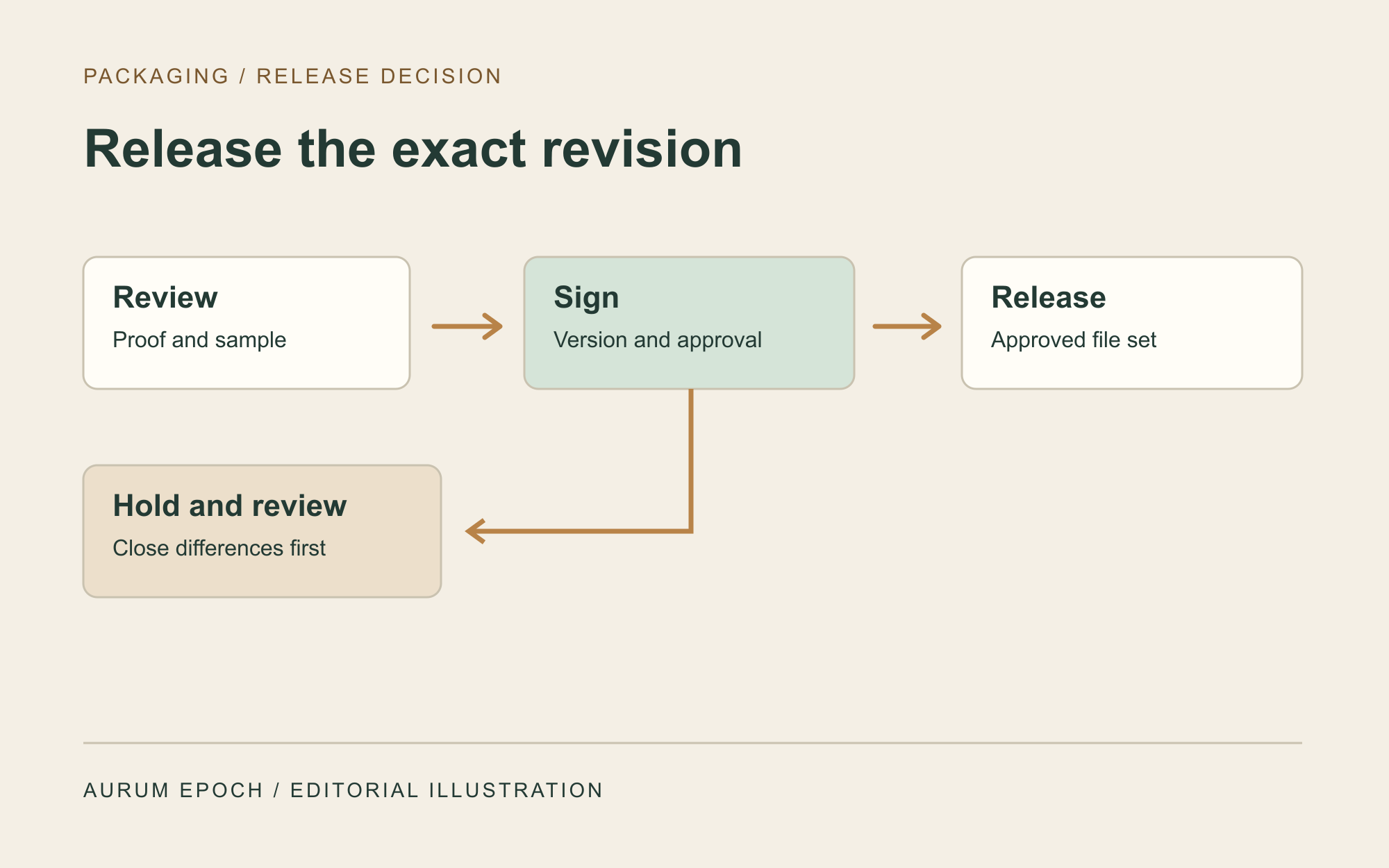
Keep a difference log with the affected layer, evidence, decision owner and due date. A wrong model identifier, missing language, uncertain permissions or a fit issue should block release of the affected layer. After correction, record the proof or sample that closed the issue. The release decision names the precise file and sample versions and any limits on model, market or order.
Hand over the released files and the physical reference together, with a packing instruction and a named recipient. Move superseded versions out of the production file set while retaining their review history. If a later order changes the configuration, a printed mark, language, material, finish or supplier, record the affected layers and agree what must be checked again before reuse.
Comparison visual
Compare the three approval records
Artwork and proof
Model, copy, language, permissions and layout by panel
Artwork revision, drawing, proof and marked corrections
Assembled sample
Fit, closure, contents, printed finish and readable marks
Sample identifier, notes and approved views
Production release
Allowed combination of layer, model, market and version
Named sign-off, disposition of differences and exact files issued
Decision flow
Approve packaging in five steps
- 01
Define the pack
Identify the device configuration, destination and each packaging layer.
- 02
Review the proof
Match the artwork, approved source files and market versions.
- 03
Inspect the sample
Check the assembled pack and record the sample version.
- 04
Resolve and sign
Hold affected layers until differences are closed in writing.
- 05
Release the exact version
Handover the file set and sample reference, and reopen review when a relevant change occurs.
Practical table
Reusable packaging approval worksheet
Each checklist row shows every comparison field.
| Field | Record for each applicable layer | Release check |
|---|---|---|
| Model and options | Equipment and packed accessories | Matches the purchase configuration |
| Market and language | Destination and approved text revision | Applies to the selected destination |
| Layer and artwork | Layer, drawing, artwork and proof versions | Versions correspond |
| Physical sample | Sample ID, material, assembly and finish | Reviewer checked the assembled pack |
| Outer marks | Mark or logistics label source and location | Matches the written packing instruction |
| Ownership and permissions | File owner, editor and reproduction permission | Approved assets and access identified |
| Decision | Approver, date, differences and limits | Written release identifies the exact version |
Buyer FAQ
Frequently asked questions
Can a PDF proof release all packaging layers?
Record which layers and attributes the proof covers. Use an assembled sample for fit, closure, packing order or finish when the proof cannot show those attributes.
What if only the accessory configuration changes?
Recheck the affected insert, accessory box, marks and packing instruction. Identify the layers that can retain their previous approval and record the basis for the decision.
Who should keep the approved artwork and sample?
Assign a controlled file owner and a sample custodian. The production handover should point to the released version and the physical reference that reviewers approved.
Source notes
References and further reading
External references provide general regulatory or industry context; they do not establish approval of a listed product. Accessed 7 November 2026.
Bring your packaging revision to the inquiry
Share the equipment model and configuration, target market, artwork revision and the packaging decisions that are still open.
Request a quotation →