
TL;DR · Direct answer
The buying decision in brief
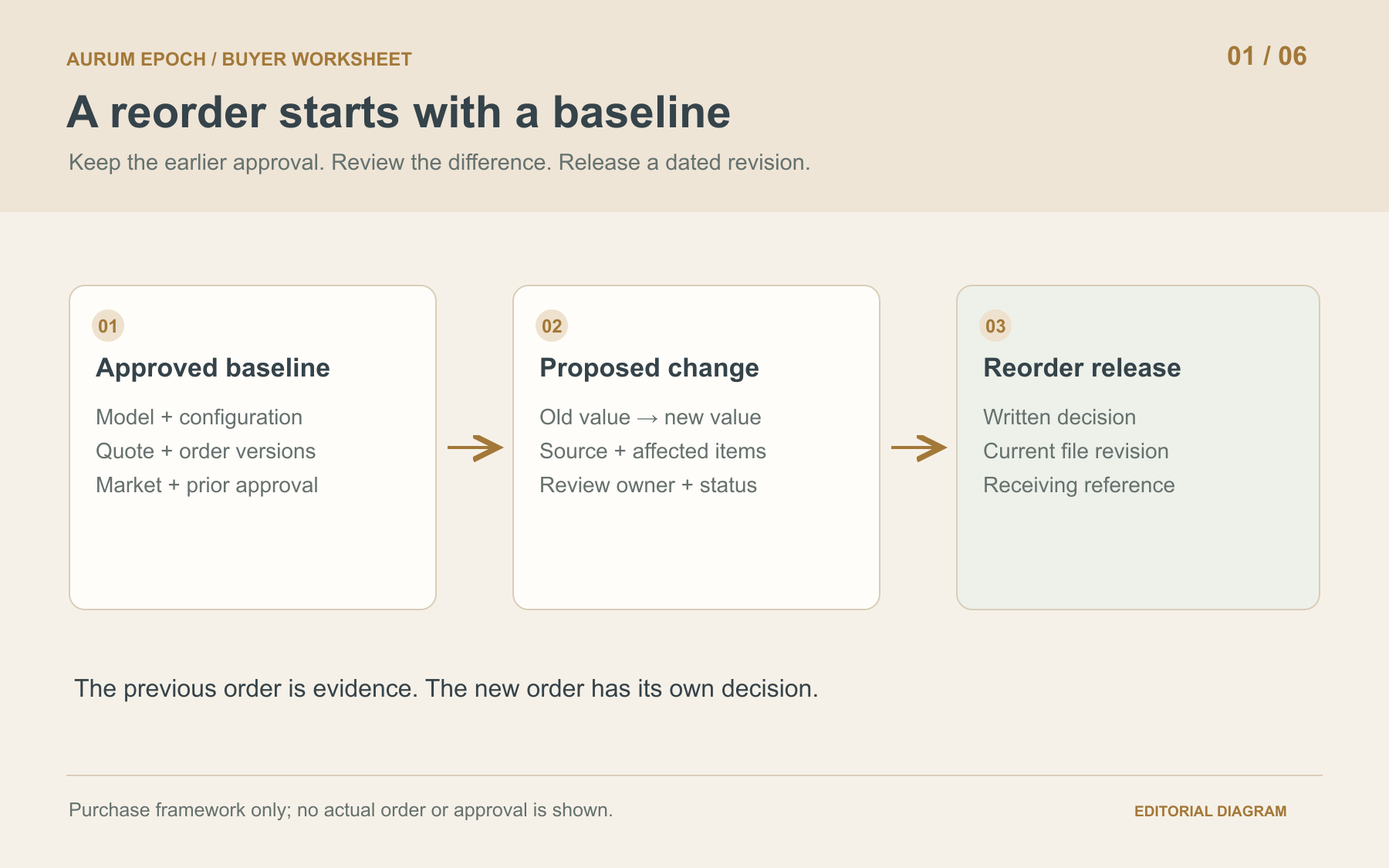
Beauty equipment reorder change control starts with the last approved model, configuration and order record. Compare every proposed difference against that baseline, link each change to affected items and documents, and name the person who must decide. Hold affected lines until scope, versions and written acceptance agree. Release a dated revision and give receiving staff the same approved change list.
01 / Buying guide
Start with the last approved purchase
A repeat order needs a named reference before anyone can decide what “the same equipment” means. Record the earlier approved model, configuration, quantity, target market, quotation and purchase-order versions, and the written acceptance that connects them. Keep the original record intact. A newly emailed catalogue or price list is a proposed input, not an automatic replacement for the purchase baseline.
Create a separate record for the new order, including its requested quantity and destination. Identify which earlier configuration and commercial lines the buyer intends to repeat. Resolve missing baseline references before describing the new order as unchanged. The earlier quantity remains historical evidence; the new quantity is a fresh request requiring its own commercial confirmation.
- Baseline order and quotation references, versions and sources
- Exact model, supplied configuration and destination market
- Previous approval owner/date and new order owner/review date
02 / Buying guide
Log equipment, document and delivery changes
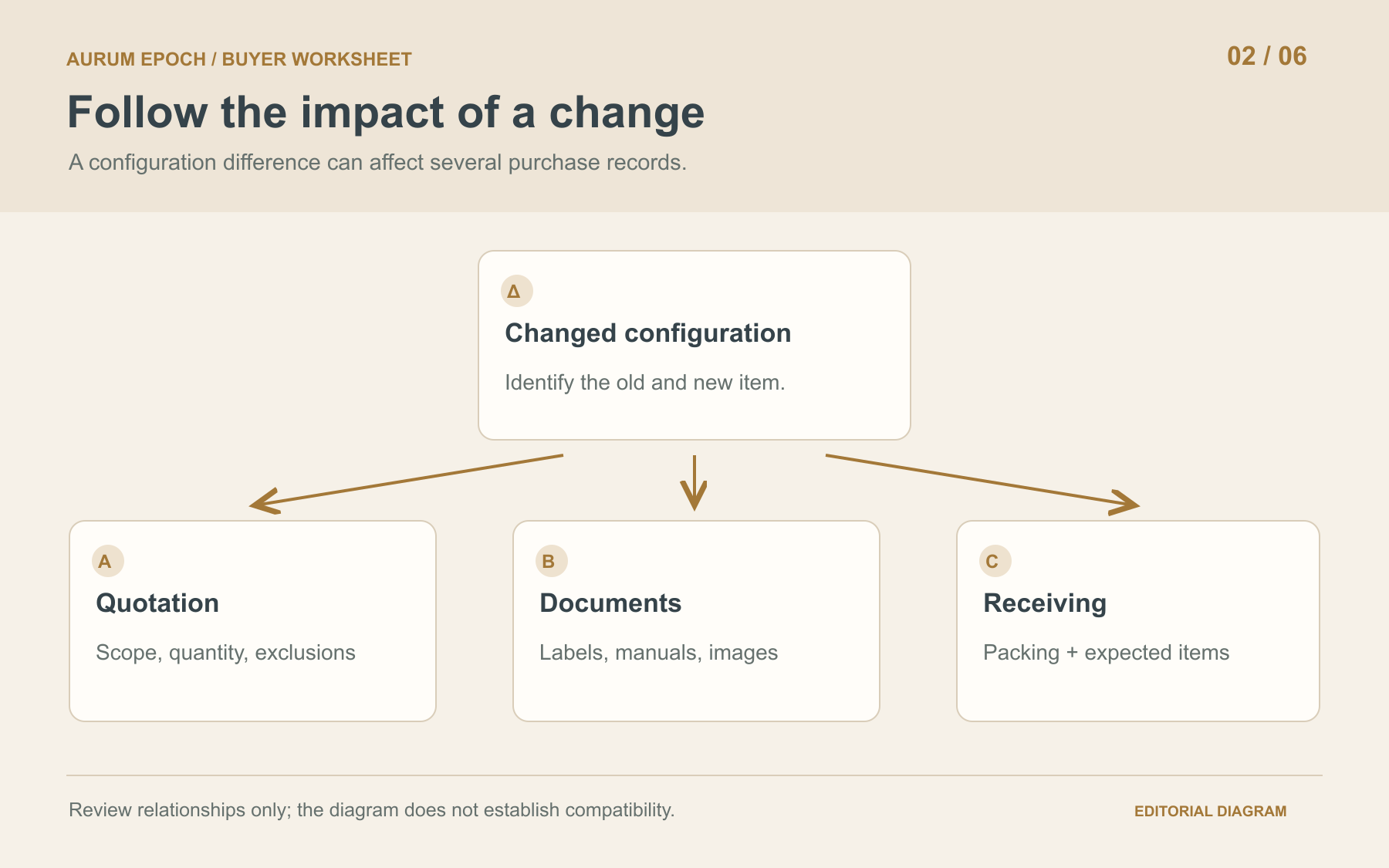
Ask the responsible supplier contact to identify differences from the baseline. Review the model, modules, handpieces, consumables, software or interface version, labels, manuals, product images, packaging and delivery scope. A revised identifier or manual may matter even when the cabinet photograph looks familiar. Record buyer-requested changes separately from supplier-proposed substitutions so the source of each decision stays visible.
Give each proposed change a reference, date, source and old/new description. Use “no change reported,” “change proposed” or “information pending” as distinct findings. An unanswered question is not evidence that nothing changed. If a difference emerges after approval, reopen the affected review rather than silently putting the new file into the approved folder.
03 / Buying guide
Trace each difference through the purchase record
For every change, list the affected configuration line, quotation or order line, label, manual, photograph, packing record and receiving instruction. Ask who will revise each item and how its relationship to the new configuration will be shown. A different handpiece raises questions about its identifier, application, documentation and included accessories; appearance alone does not answer them.
Keep technical and commercial questions separate. A supplier may explain what an item is while its price, quantity or delivery scope remains open. Ask the responsible party for written compatibility or suitability evidence when relevant. Link changed operating materials, parts references and handover needs to the review without assuming earlier arrangements continue unchanged.
04 / Buying guide
Hold affected lines when the decision cannot be made
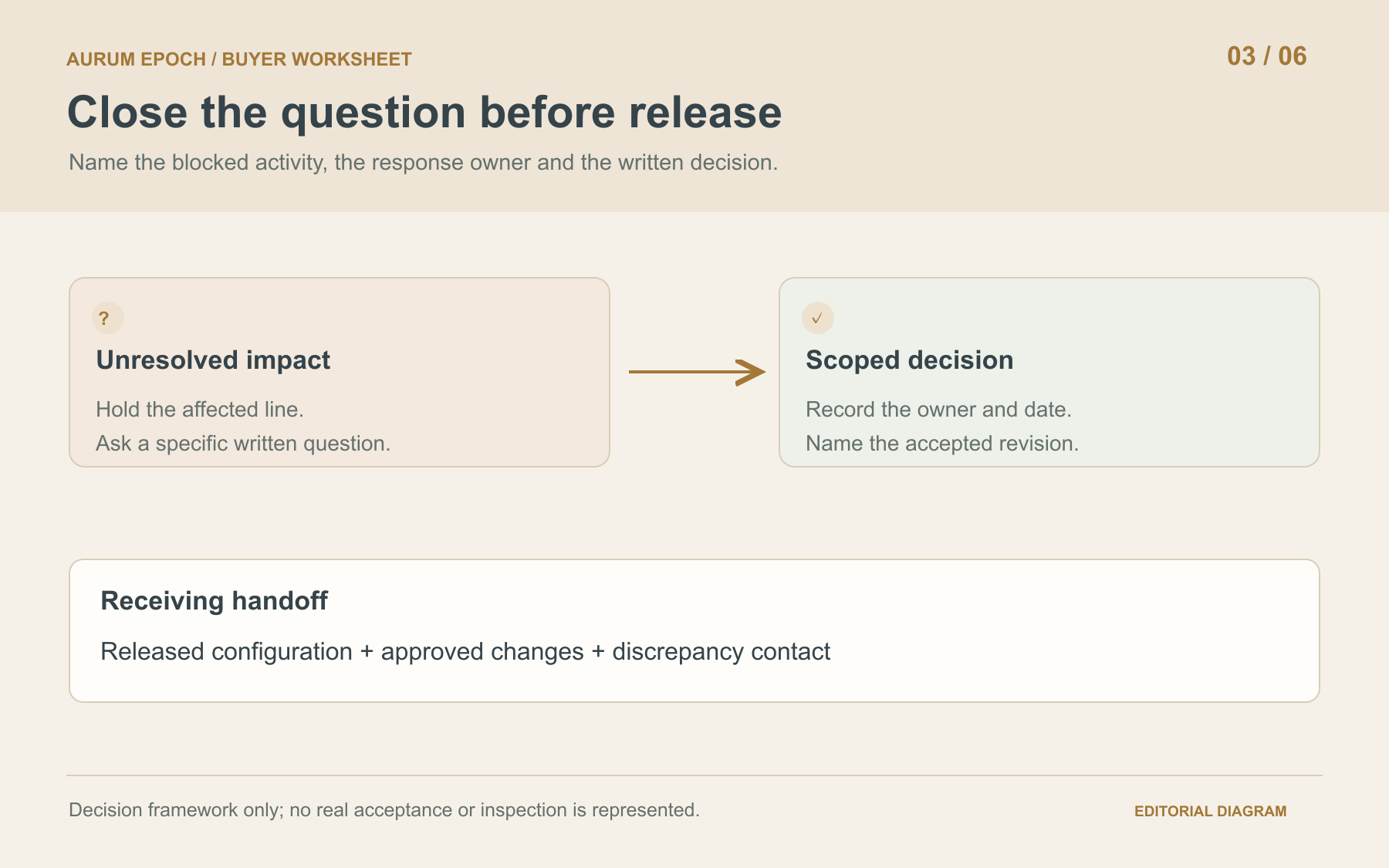
Place a change on hold when its impact is unclear, versions conflict, a responsible reviewer is missing, or the written answer does not cover the exact model and market. State which order line or activity is blocked and the specific response needed. Make the scope of the hold explicit, including whether related lines depend on the same unresolved decision.
Commercial acceptance and regulatory assessment are separate decisions. Route questions about a regulated product or market requirement to a qualified reviewer. FDA guidance on changes to existing devices concerns its stated U.S. 510(k) context, not every beauty device. A buyer approval email does not establish market authorization or resolve a product-specific legal requirement.
05 / Buying guide
Release a dated revision with written acceptance
Close each change with a decision: accepted, rejected, withdrawn or still on hold. Record the decision maker, date, evidence and any conditions. Acceptance should name the precise new configuration or file revision and affected order lines. A general “OK” in a long message thread is difficult to use when the final packing list carries a different reference.
Issue a new approved record linking the baseline, change register, revised quotation or order, current documents and written decisions. Preserve the earlier revision and identify which version is current for this reorder. State an effective point, such as the relevant new order reference, rather than inventing a serial range or applying the change to every past and future machine.
06 / Buying guide
Give receiving staff the approved delta list
Send receiving staff the released model/configuration reference, expected changed items, relevant document versions and unresolved items affecting acceptance. They should compare the delivery with that record. A different item at the dock should return to the change owner instead of becoming an informal substitution accepted because it resembles equipment purchased before.
After receipt, link any discrepancy and its closure to the reorder record. Keep the change history available for the next purchase while treating quantity planning and replenishment assumptions as separate work. The outcome is a traceable decision about this order, not a prediction of stock, compatibility or the availability of future supply and service arrangements.
Comparison visual
What changed from the approved baseline?
Model and configuration
“Same as last time” plus a newer photograph
Earlier approved reference and explicit old/new component list
Document revision
New manual replaces the old file without explanation
Revision, model coverage, changed content and reviewer decision are linked
Commercial scope
Substitution discussed separately from the quotation
Affected quote/order lines, quantities and exclusions are reconciled
Receiving instruction
Warehouse uses a historical packing list
Receiving staff have the released configuration and approved delta list
Decision flow
From prior approval to a controlled reorder
- 01
Reference
Identify the earlier approved order and exact repeat scope.
- 02
Compare
Record old/new differences, sources and affected lines.
- 03
Review or hold
Assign technical, document, market and commercial questions.
- 04
Decide
Capture scoped written acceptance, rejection or an unresolved hold.
- 05
Release and receive
Issue the dated revision and share it with receiving staff.
Practical table
Reusable reorder change register
Each checklist row shows every comparison field.
| Record field | What to enter | Decision check |
|---|---|---|
| Baseline | Approved model, configuration, previous quantity, market, quote/order revisions and sources | Can the earlier approved purchase be reconstructed? |
| New request | Reorder reference, requested quantity, market, owner and date | Is the intended repeat scope explicit? |
| Change | Change ID, source/date, old value and proposed new value | Is the difference described rather than assumed? |
| Impact | Affected modules, handpieces, consumables, software, files, packing and delivery lines | Which decisions and records need review? |
| Responsibility | Response owner, reviewer, review date and evidence location | Who can answer and who can accept? |
| Status | Proposed, under review, held, accepted, rejected or withdrawn; open question | What specifically prevents release? |
| Written closure | Decision reference, approver, date, conditions and current revision | Does acceptance cover the affected scope? |
| Receiving handoff | Expected differences, released records and discrepancy contact | Will the delivery be checked against this approval? |
Buyer FAQ
Frequently asked questions
Does a reorder need review if the model name is unchanged?
Yes. Compare the configuration, included items, software, documents and commercial scope against the prior approved order. An unchanged model name does not describe every item being supplied.
Can a similar-looking handpiece replace the original?
Treat it as a proposed change. Request its identifier, applicable configuration and written answers to relevant technical and document questions before the buyer decides whether to accept it.
What if the supplier reports no changes?
Record who supplied the statement, its date and baseline reference. Reconcile the new quotation, configuration and file versions against that reference and resolve any differences that appear.
Who should approve a reorder change?
Name the buyer decision owner and the people responsible for affected technical, document, market and commercial questions. Record scoped written decisions; one order contact may not be qualified to resolve every issue.
Source notes
References and further reading
External references provide general regulatory or industry context; they do not establish approval of a listed product. Accessed 21 October 2026.
Bring the baseline and proposed changes to your reorder request
Share the baseline model, current configuration, reorder quantity, target market and proposed changes. Include the previous approved reference and current files so the requested scope and open questions can be discussed.
Request a quotation →